How Does an eSIM Work Abroad? The Honest Beginner's Guide
 15 min read
The plane touches down, airplane mode goes off, your phone starts hunting for a signal. And then comes the question you're probably here for: does anything actually happen, or do you spend the next twenty minutes staring at an empty signal bar? So how does eSIM work abroad, really, step by step, at the level of what your phone is doing? That's what this is about. Not which provider you should buy from.
One thing up front, because it belongs here. For this piece I read Apple's and Samsung's own support documentation, worked through the European Commission's roaming pages, and dug around in German carriers' support forums. No hands-on testing, no measurements of my own. This is research, and I'd rather say so now than have you assume otherwise.
How does eSIM work? A chip, not a download
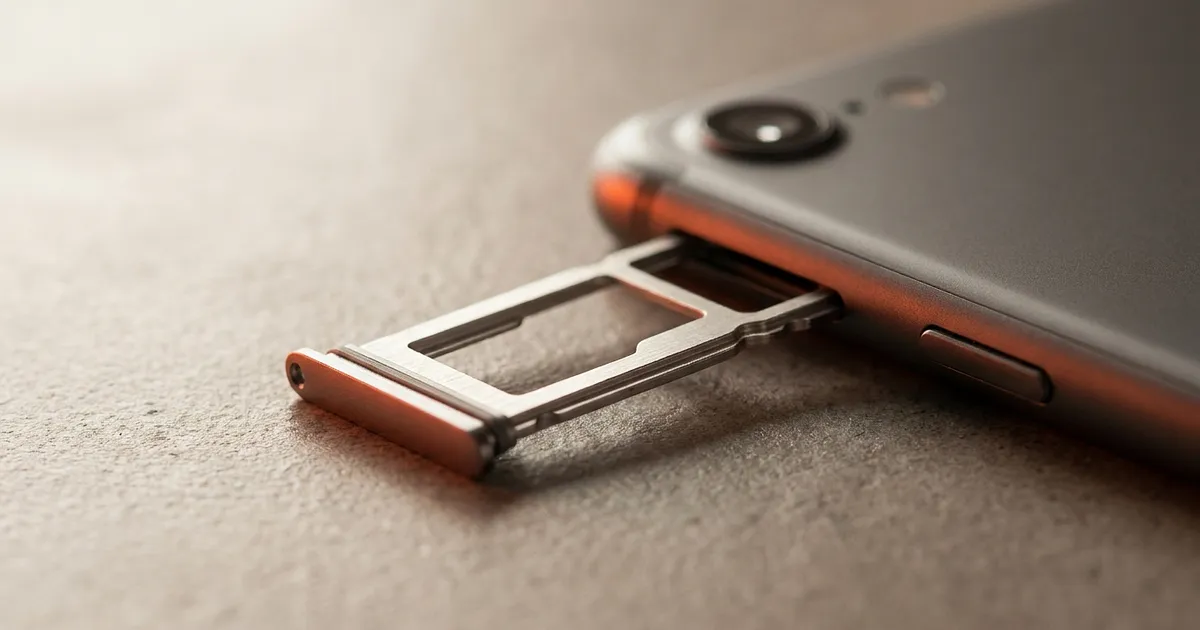
Most explanations start in the wrong place. An eSIM isn't a thing you "get" and then slot into something. The chip has been sitting in your phone since the day you bought it, soldered onto the board. The technical name is eUICC, embedded Universal Integrated Circuit Card. Samsung puts it plainly on its eSIM explainer page: the eSIM is built directly into the device and isn't removable.
So what you're buying is permission to write a profile onto that chip.
A profile is the data set that tells your phone which network it belongs to, which number is attached to it, and which keys it authenticates with. Exactly what lives in the gold contacts of a plastic card. Just a file instead of a card. And because it's a file, the chip can hold several of them at once. How many depends on the device. Most phones run two lines active at the same time, and can store considerably more than that.
| Physical SIM | eSIM | |
|---|---|---|
| Form | removable plastic card | file on a soldered-in chip |
| Switching | swap the card, SIM tool required | load a profile, no tools |
| Getting one | shipped, or bought in a shop | downloaded, usually in minutes |
| Multiple networks | one per slot | several profiles stored, usually two active |
| If the phone dies | move the card to a spare handset | the profile has to be reissued |
That last row is the one provider blogs like to leave out. A plastic card outlives its phone. An eSIM profile doesn't necessarily.
First, the awkward question: do you even need one in the EU?
Short version for a trip to Mallorca, Rome or Amsterdam: probably not.
Inside the EU and the EEA, the "roam like at home" rule applies. Your home tariff works there at domestic rates, with no surcharge, subject to a fair use limit on data. According to the European Commission, that rule has been prolonged until 2032. Your existing SIM or eSIM already does the job a travel eSIM would be sold to you for.
And if you blow through the fair use allowance? There's a cap on that too. As of 1 July 2022, the same EU source puts the maximum surcharge at 2 €/GB, decreasing progressively to 1 €/GB by 2027.
If you want evidence the rule genuinely bites, look at how German carriers shape their own travel add-ons. Vodafone sells its travel packages explicitly for destinations outside the EU: the US, Switzerland, Turkey, parts of Asia. There's no EU version of the product, because there'd be nothing to sell.
| Destination | What happens without a travel eSIM | As of |
|---|---|---|
| EU and EEA (plus Iceland, Liechtenstein, Norway) | your home tariff applies at domestic rates, subject to a fair use limit | European Commission, rule prolonged until 2032 |
| Above the fair use allowance | surcharge capped at 2 €/GB, falling to 1 €/GB by 2027 | European Commission, in force since 1 July 2022 |
| Outside the EU/EEA | your contract's standard roaming rates, or a paid travel package | carrier terms, as of August 2026 |
So a travel eSIM only gets interesting on that third row. Thailand, Japan, the US, Morocco. Places where your home tariff either gets genuinely expensive or simply stops.
How to activate an eSIM abroad
Three routes are common, and they look broadly the same on iOS and Android.
The usual one is a QR code. You buy a data plan, an image lands in your inbox, you open the mobile settings, pick "add eSIM" and point the camera at it. The second route is the provider's own app, which handles the whole thing in the background. The third is manual entry of the activation details, typically an SM-DP+ address plus an activation code, for when the scan won't cooperate. Samsung describes exactly those three paths, and Apple's own eSIM setup page lists the same options for iPhone, plus transferring a profile from another Apple device.
The important part of this section isn't in the instructions, though. It's in the timing.
Do it at home. On your own Wi-Fi, unhurried, before you head to the airport. Downloading the profile needs an internet connection, and at your destination airport you might not have one until the profile is already running. Classic chicken-and-egg. German carrier forums come back to this constantly: the Telekom community describes a local Wi-Fi connection as a prerequisite for switching an eSIM while already travelling.
Worth knowing: travel eSIMs often don't start their validity period at download, but the first time they register on a network in the destination country, though not every provider handles it the same way. Check your own provider's plan details before buying rather than assume. The full step-by-step activation flow for iPhone gets its own article.
Is your phone eSIM-capable? Honest answer: it depends
This is where it gets uncomfortable, and where most guides make a mistake I'm deliberately not repeating. They print a list of model names.
Lists like that are wrong within months. Not because they were researched sloppily, but because eSIM support depends on the model and the sales region and sometimes the carrier. Samsung says so itself on its Galaxy compatibility page: the overview covers Australian device variants, and the settings and steps available may vary. When a manufacturer regionally fences its own list, that's a fairly loud hint that a copy of it in some blog isn't worth much.
Two edge cases show how wide the regional gap gets.
US models from around the iPhone 14 generation onward have largely lost the SIM tray altogether and run on eSIM exclusively. The same generation bought in Germany often still has one. That's one of the better-documented regional splits in eSIM support, but it shifts model to model. Don't rely on that as a rule of thumb, check it directly on Apple's own eSIM page or in your specific device's technical specs.
And in mainland China, Apple documents only the iPhone Air and the iPhone 17e as supporting eSIM at all, with the iPhone Air running eSIM-only there and activation tied to an identity check with the carrier. That's a narrow exception, not a sign that China is broadly eSIM-friendly.
What you can do instead takes about thirty seconds. Open your settings, go to the mobile or cellular section, and see whether something like "add eSIM", "add mobile plan" or "manage SIM" shows up. If it's there, your device can do it. If it isn't, the manufacturer's continuously updated page will tell you more, whether that's Apple or Samsung. Not a table in some article from last year. Mine included.
Second stumbling block: the handset also has to be carrier-unlocked. A subsidised contract phone locked to one network will happily accept the profile and then register nowhere.
What actually happens when you land
Airplane mode off. And then?
Your phone scans the frequencies, finds the networks on the ground, and tries to register on one your active profile is authorised for. With a travel eSIM that'll be a local partner operator, often with a name you've never heard of. It rarely takes seconds. A minute or two is normal, and sometimes it needs a quick airplane-mode toggle to shake loose.
Now for the setting most people trip over: data roaming has to be on for that line.
It feels wrong, I know. "Roaming" sounds like the bill-shock horror stories from the 2000s, and the reflex to leave it off runs deep. Technically, though, roaming just means you're on a network other than your home one. Which is what a travel eSIM does one hundred percent of the time. Without data roaming enabled, Apple notes that even a correctly installed travel eSIM won't work outside its home network. The toggle costs nothing. It just lets you use what you already paid for.
One nuance that matters: the setting is per line. You can switch data roaming on for the travel eSIM and leave it off for your home card. Outside the EU that's probably the smartest combination there is.
If the bar stays empty after a few minutes, manual network selection is the next move. In the mobile menu, under network selection, turn off automatic search, wait for the list, and tap a network from it. Which one? Your eSIM provider's documentation says. The APN, the address your device uses to reach the data network, normally configures itself along with the profile. If you have signal but no data is flowing, that's the first suspect.
Dual-SIM: keep your home number, put data on the travel eSIM
The most common reason people talk themselves out of a travel eSIM is the fear of becoming unreachable on their own number. That fear is unfounded, but the setup does need understanding once.
Modern phones run two lines in parallel. Your home SIM or eSIM stays active and registered, taking calls and texts. The travel eSIM sits alongside it and handles mobile data only. You assign each line a role: default line for calls, default line for data, and optionally which line services like iMessage hang off. Apple describes that split for travel on a dedicated support page.
German carriers don't do anything different here. According to Telekom, an eSIM abroad is subject to the same conditions as a physical SIM card on the same contract.
What I kept running into in the Telekom, Vodafone and O2 forums, though: the trouble almost never starts with two lines running in parallel. It starts with setting up an eSIM while already abroad. Activation codes arrive by SMS to the home number, transfer flows assume the old and new device share a Wi-Fi network, and individual users report eSIM-specific roaming quirks they never had with a plastic card. Those are user reports, not an official carrier position, and I found no carrier page claiming any kind of block on travel eSIMs. Friction, yes. Blocking, no.
How to keep your existing number when you switch is its own topic, and we're unpicking that separately.
One eSIM across several countries
If your trip covers a single country, a country-specific eSIM is usually the cheaper maths. A worldwide eSIM gets interesting on multi-country routes: Bangkok, then Hanoi, then Tokyo, without buying and installing a fresh profile at every border.
There's a real cost to that convenience. Global plans almost always run higher per gigabyte than a local package, and network quality depends on which partner the provider bought into in each country. Staying three weeks in one place? A country eSIM wins. Crossing six borders in three weeks? A global plan saves you a lot of fiddling in airports.
One example of that category:
Affiliate link. Buying through it earns us a commission; the price stays the same for you.
What usually goes wrong
Four failure patterns cover most landing-day panic.
The QR code won't scan any more. Easily the most common. An activation code is generally single-use, and a second scan after an interrupted or deleted install usually throws an error, according to Holafly's support pages. So don't delete an installed profile to start fresh. Ask the provider for a new code instead.
Signal, but no internet. Nearly always data roaming left off, or the wrong line set as the data line. Both sit in the same settings menu, one under the other.
No signal at all after landing. Try manual network selection, or one airplane-mode cycle. And if you're standing in the middle of the terminal right after touchdown, the cell may simply be congested. Sounds trivial. Happens plenty.
The profile was never fully installed. This one bites when the download broke at home and nobody noticed in the rush. An installed but not yet started eSIM appears in settings as its own line. If it isn't listed there, it was never installed.
A proper troubleshooting walkthrough with all the edge cases gets its own article. This is the airport short version.
The upsides and the downsides, unvarnished
In favour: you buy and activate in minutes instead of queueing in a phone shop through a language barrier. Your home number stays reachable alongside. You can store several profiles and switch between them. And you can't lose a tiny plastic card in a hostel bed.
Against, and this rarely makes it into provider copy: if the handset dies outright, the profile doesn't just slot into a spare. A secondhand or older backup phone may not support eSIM at all. Selling the phone on takes preparation, since profiles should come off first. And in some countries a local prepaid SIM from a kiosk still costs considerably less per gigabyte than any travel eSIM, if you're willing to spend the time and a bit of language chaos on it.
Whether that trade is worth it depends on the destination and the length of the trip. For Thailand we ran the numbers in a dedicated eSIM provider and cost comparison for Thailand, including the point at which a local SIM becomes the cheaper option. We have separate comparisons for the US and for individual European destinations too.
So what now?
If I had to compress this whole thing into one sentence: buy and install the profile at home, leave data roaming on for the travel eSIM and off for your home card, and check two days before departure that your device actually shows the new line.
The rest is remarkably boring, and I mean that as a compliment. A working eSIM is something you never notice. It's just there when airplane mode goes off. So how does eSIM work abroad, in short? Load the profile, turn on data roaming, done.
And if you're flying inside the EU, keep your money. You probably don't need one.
All products from this post
The ones we named above are marked; the rest are alternatives in the same category.
Affiliate notice: As an Amazon Associate, we earn from qualifying purchases. Product prices and availability are subject to change.
Frequently Asked Questions
What is an eSIM and how is it different from a SIM card?
An eSIM is a chip built into the phone that a mobile profile gets loaded onto as a file. Functionally it does the same job as a plastic card: it registers your device on a network. The difference is handling. No card slot, no shipping, and several profiles can sit stored on the chip at once, so you switch through a menu rather than with a SIM pin.
Should data roaming be on or off?
For the travel eSIM: on. Without data roaming active, a line won't connect to the data network outside its home network, even when the profile is installed correctly. The setting applies per line. So outside the EU the sensible combination is roaming on for the travel eSIM and off for your home card.
Can I use an eSIM and my normal SIM at the same time?
Yes. Most current phones run two lines in parallel. Your home card stays reachable for calls and texts, while the travel eSIM handles mobile data. You assign each line its role in the settings. Set that up before departure rather than at the gate, since it's fiddly under time pressure.
Do I actually need a travel eSIM in the EU?
Usually not. Inside the EU and EEA the roam-like-at-home rule means your home tariff works at domestic rates, subject to a fair use limit, and that rule has been prolonged until 2032. A travel eSIM mainly earns its keep outside the EU, in places like Thailand, Japan or the US.
Why has my QR code stopped working?
Activation codes are generally redeemable once only. If an installation was interrupted, or you deleted the profile, a second scan usually returns an error. So don't delete an installed profile to start over. Request a fresh code from the provider instead, which most of them will issue.
How do I know whether my phone supports eSIM?
Look in your mobile settings for an entry like "add eSIM" or "add mobile plan". If it appears, your device supports it. Don't rely on model lists in articles: eSIM support also depends on the sales region and sometimes the carrier, so only the manufacturers' continuously maintained pages are reliable. The handset also needs to be carrier-unlocked.
Sources
- eSIM explainer page samsung.com
- European Commission digital-strategy.ec.europa.eu
- travel packages vodafone.de
- eSIM setup page support.apple.com
- Telekom community telekomhilft.telekom.de
- Galaxy compatibility page samsung.com
- Apple support.apple.com
- Apple support.apple.com
- dedicated support page support.apple.com
- Telekom telekom.de
- Holafly's support pages esim.holafly.com