Portable Monitor for Travel: 2026 Test & Buying Guide
 12 min read
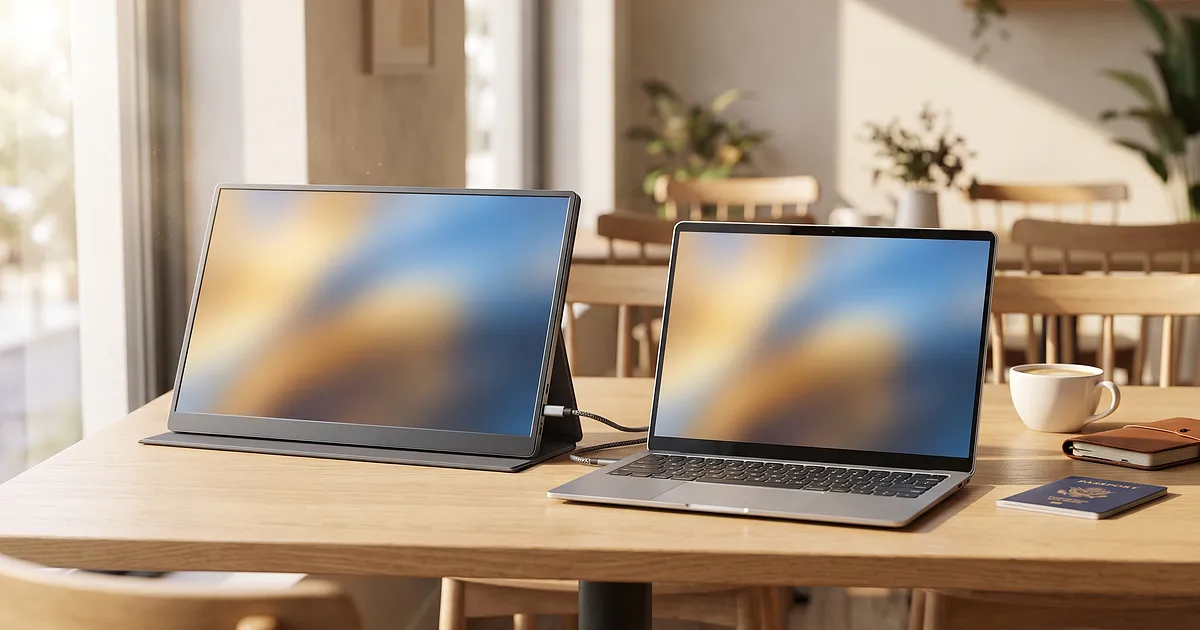
You're in a café in Lisbon, the laptop screen is tiny, and the spreadsheet you're working on just won't fit on 13 inches. That's exactly where a portable monitor for travel earns its place: a second screen that slides into your laptop bag and pulls power and picture over a single USB-C cable. Sounds perfect. Often it is.
But not always. And the reason the one-cable promise sometimes fails quietly in a hotel room catches most buyers off guard. More on that in a second.
First the short version, because you're probably half-packed already.
Disclosure: This article contains Amazon affiliate links (amazon.de). If you buy through one of them, we earn a small commission. Your price doesn't change, and our take stays honest either way. All prices and ratings are snapshots as of 10 Aug 2026.
The 5 portable monitors compared
Five models, all listed on amazon.de, all rated at least 4.4 stars. Prices and ratings move fast, so the date is on everything.
| Model | Size | Resolution | Panel | Ports | Weight | Price (as of 10 Aug 2026) | Rating |
|---|---|---|---|---|---|---|---|
| ASUS ZenScreen MB16AHV | 15.6 in | 1920x1080 | IPS, matte | 2x USB-C, Mini-HDMI | 728g | €139.87 | 4.4★ (116) |
| Arzopa Z1RC | 16 in | 2560x1600 | IPS, HDR | USB-C, HDMI | ultralight (n/a) | €139.99 | 4.4★ (246) |
| Arzopa A1 | 15.6 in | 1920x1080 | IPS | USB-C, HDMI | approx. 744g | €94.99 | 4.5★ (2578) |
| InnoView 15.6 in | 15.6 in | 1920x1080 | IPS | 2x USB-C, HDMI | approx. 907g | €81.40 | 4.5★ (1695) |
| UPERFECT 15.6 in | 15.6 in | 1920x1080 | IPS, matte | USB-C, HDMI | n/a | €79.99 | 4.4★ (5160) |
Looks like small stuff at first glance, right? It isn't. Less than 60 euros separate the cheapest from the priciest, yet they aim at very different travellers. I break each one down further below. First, the part where most people burn money.
What USB-C really does, and where the catch hides
Here's the single most important sentence in this whole article, and almost no buying guide writes it down: USB-C is a connector, not a video standard.
That sounds like nitpicking, but it can cost you an evening of frustration. For a picture to run over USB-C, the port on your laptop, the cable, and the monitor all three have to support what's called DisplayPort Alt Mode. And for that same plug to deliver power at the same time, USB Power Delivery has to be in the mix too. Miss one of those and you get either picture without charge, charge without picture, or nothing at all.
According to VESA, the body responsible for the DisplayPort standard, DisplayPort Alt Mode 2.0 carries up to 80 Gbps over a USB-C connector. So the tech is there. It's just not wired into every port.
And this isn't theory. The comparison test by connect-living.de noted in 2023 that not every USB-C port supports video transmission. Whether your laptop sends picture and power over one cable depends entirely on how the maker wired that specific port. There's no consistent label for it. Two USB-C sockets on the same notebook can behave completely differently.
Power gets even more confusing. Since USB PD 3.1 was ratified in 2021, up to 240 watts over a single USB-C cable is possible, per USB-IF. Before that, 100 watts was the ceiling. For a monitor that's mostly a footnote, but it explains why your frugal 65-watt travel monitor won't fully charge your power-hungry gaming laptop.
How to test your own USB-C port before you buy
Before you spend 100 euros, run this 30-second check. Honestly, it saves you the nasty surprise.
First: check your laptop's manual or the maker's website for the symbols next to the USB-C sockets. A small "DP" or a display icon means DisplayPort Alt Mode. A lightning bolt or battery icon means Power Delivery.
Second, if the symbols are missing: plug in any USB-C display or adapter and try it. Picture? Great. Does the laptop charge at the same time? Even better.
Third, the fallback plan. Even if your port sends no picture, all is not lost. Almost every portable monitor has a Mini-HDMI or HDMI input plus a separate USB-C power socket. Then picture runs over HDMI and power over a small charger or a power bank. Two cables instead of one. Not elegant, but it works anywhere.
This exact point is missing from nearly every buying guide out there. They put "60W PD" on the checklist and leave you with it. Rough, when you're standing in a hotel room in Bangkok and the screen stays black.
What to actually look for when buying
Panel, resolution, ports: that's on every box. The three things that make a real difference on the road tend to be in the fine print.
Weight, or: what you actually haul
Under 800 grams counts as travel-friendly in the industry. That's a sensible line when you carry your whole office through airports in a backpack.
In the head-to-head test by connect-living.de, the tested 15.6-inch models ranged from 685 grams to just under a kilogram. Sounds like a small difference. On day ten of a trip with an aching back, you feel every gram.
One more note: factor in the sleeve. A 728-gram monitor with a hard case sometimes weighs more packed than an 850-gram model without one. The whole package counts, not the number on the spec sheet.
Brightness for café and terrace
This is the point home-office guides completely miss. At home you sit in controlled light. On the road you sit in the harsh morning sun on a rooftop terrace in Split.
Most portable monitors deliver between 250 and 300 nits. Notebookcheck measured exactly those 300 cd/m² on the MEMTEQ Z1. Indoors that's plenty. For the shade of an outdoor café you'd want closer to 500 nits. And for direct sunlight you'd need almost 1000 nits, which barely any budget model reaches.
The honest truth? No monitor in this price range is genuinely sun-readable. Sit in the shade, turn the screen away from the window, done. A matte, anti-glare panel helps more here than a few extra nits, by the way.
Travel protection, the often-forgotten factor
A monitor that survives the first trip in the overhead bin and dies on the second is a bad buy. Full stop.
The better-tested models ship a sleeve in the box. The ASUS ZenScreen MB16AHG, the category's often-cited reference model, weighs 0.92 kg per the maker and comes with a protective sleeve. That kind of case isn't a luxury, it's the insurance that your screen lasts longer than one trip.
The five models in detail
Now the specifics. For each type of traveller, the right device.
Lightest for frequent flyers: ASUS ZenScreen MB16AHV
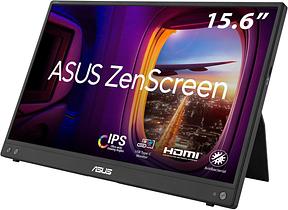
If weight and brand matter to you, this is your model. At 728 grams the ZenScreen is among the lightest in the field, and the matte, anti-glare IPS panel makes it more café-friendly than most glossy rivals. Two USB-C sockets plus Mini-HDMI cover just about any notebook, and the sleeve is included.
Who's it not for? Bargain hunters. At €139.87 (as of 10 Aug 2026) it costs nearly double the cheapest model, and the resolution is only Full HD. You're paying for brand quality, low weight, and the travel protection. To me that's worth the money on plenty of travel days.
Affiliate link. Buying through it earns us a commission; the price stays the same for you.
Sharpest image: Arzopa Z1RC
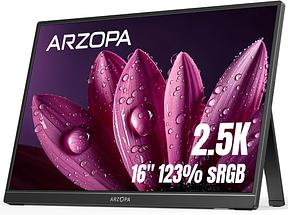
Editing photos in a hostel or staring at text all day? Then resolution is your key criterion, and the Arzopa Z1RC wins clearly here. 2560x1600 on 16 inches in 16:10 format means noticeably more workspace and much crisper text than Full HD. HDR and 10-bit colour are on top.
The catch: the product page names no exact weight, just ultralight. On a 16-inch QHD panel I'd be cautiously optimistic there. At €139.99 (as of 10 Aug 2026) it sits at the upper end, but for the sharpest image in this round that's fair.
Affiliate link. Buying through it earns us a commission; the price stays the same for you.
The budget all-rounder: Arzopa A1
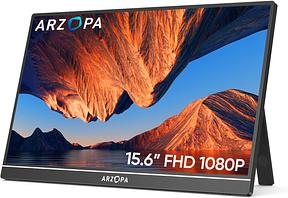
This is the model I'd hand most first-time buyers. The Arzopa A1 does nothing spectacular and everything properly: 15.6 inches, Full HD IPS, USB-C and HDMI, built-in kickstand. With over 2500 ratings and 4.5 stars, it's also a known quantity.
At €94.99 (as of 10 Aug 2026) it sits right in the sweet spot between cheap and usable. No sleeve in the box, which is the only real downside. Buy a cheap sleeve on the side and you're set.
Affiliate link. Buying through it earns us a commission; the price stays the same for you.
Sound on board: InnoView 15.6 in
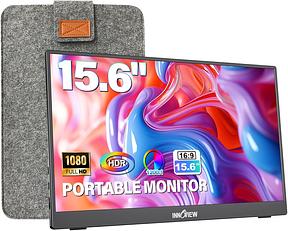
Small thing, big difference: this monitor has built-in dual speakers. Sounds trivial until you're watching a series in a hotel or on a video call and don't have to dig out headphones or a Bluetooth speaker first.
The InnoView brings two fully functional USB-C ports, plus HDMI and a stand that adjusts through 180 degrees. At roughly 907 grams it's no lightweight, and you should know that. In return it costs just €81.40 (as of 10 Aug 2026) and, with the sound, has an extra nobody else on this list offers.
Affiliate link. Buying through it earns us a commission; the price stays the same for you.
The price winner: UPERFECT 15.6 in
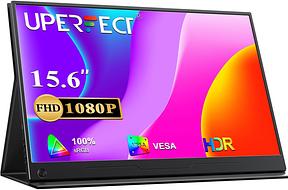
When budget has the first and last word, there's no way around this one. At €79.99 (as of 10 Aug 2026) the UPERFECT is the cheapest in the round, and with over 5000 ratings also the most bought. That volume of feedback is an argument in itself.
It brings a matte Full HD IPS panel, USB-C and HDMI, a sleeve, and even VESA compatibility in case you ever want to mount it. No weight is listed on the product page, which I find a shame. Still: for the money you get the most monitor here.
Staying connected on the data side too while abroad? Then take a look at our eSIM for Thailand so the second screen in the café is actually online.
Affiliate link. Buying through it earns us a commission; the price stays the same for you.
One device, several lives: second screen, Steam Deck, presentation
The nice thing about these monitors: the same hardware serves several needs.
As a second screen for the laptop is the classic. Back in its test, heise online already found that a single USB-C cable carries picture, sound, data and power at once. One cable fewer in the backpack, one hassle fewer at the airport.
Travelling with a Steam Deck, a Switch or a console? Over HDMI the same screen becomes a travel gaming display. No extra device needed.
And for the quick presentation in a coworking space, you flip the monitor open, turn it toward the other person, and show your pitch without four people crowding around your 13-inch laptop.
Is it for everyone? No. If you always sit at the same desk, a big fixed monitor is the better buy. But for the estimated 43 million people working as digital nomads in 2026, per RentRemote, that dual use is exactly the point. No wonder the portable monitor market is growing at around 23.4 percent a year through 2035, per Precedence Research, driven by remote work and travel.
Conclusion
A second screen in the backpack changes how you work on the road. Far more than the price suggests.
The real buying decision isn't which model, it's which type of traveller you are. Light and brand-safe? ASUS. Sharpest image? Arzopa Z1RC. Little money, lots of monitor? UPERFECT or InnoView. And the Arzopa A1 is the solid middle for anyone who can't decide.
The most important thing last, because hardly anyone writes it down: check your USB-C port before you order. Then the screen won't stay black in the hotel room. The rest is a matter of taste.
All products from this post
The ones we named above are marked; the rest are alternatives in the same category.
Affiliate notice: As an Amazon Associate, we earn from qualifying purchases. Product prices and availability are subject to change.
Frequently Asked Questions
Does a portable monitor really need USB-C?
No, but it's more convenient. With USB-C and Power Delivery, picture and power run over one cable. If you lack the right port, use the HDMI or Mini-HDMI input for the picture and charge separately via a charger or power bank. Almost every model has both options on board.
How heavy can a travel monitor be?
Anything under 800 grams counts as travel-friendly. The 15.6-inch models in this round sit between roughly 728 and 907 grams. Factor in the sleeve, because packed weight is what counts, not the number on the spec sheet.
Can I work outdoors in the sun with one?
Only to a point. Most models deliver 250 to 300 nits, fine for indoors and shaded cafés. For direct sunlight you'd need almost 1000 nits, which barely any device in this price range reaches. A matte, anti-glare panel and a spot in the shade help more than a few extra nits.
Why won't my monitor charge my laptop?
Probably it delivers too few watts, or your USB-C port doesn't support simultaneous power and video. A 65-watt monitor won't fully charge a hungry gaming laptop. Check the manual for whether your socket supports DisplayPort Alt Mode and Power Delivery.
Which portable monitor is best for beginners?
For most first-time buyers, a 15.6-inch Full HD IPS model with USB-C and HDMI is the safe choice. The Arzopa A1 at 94.99 euros hits that sweet spot well (as of 10 Aug 2026). If you want to save money, go for the UPERFECT; to save weight, the ASUS ZenScreen.