Transfer eSIM iPhone Android: iOS 26.3 Finally Does It Directly
 4 min read
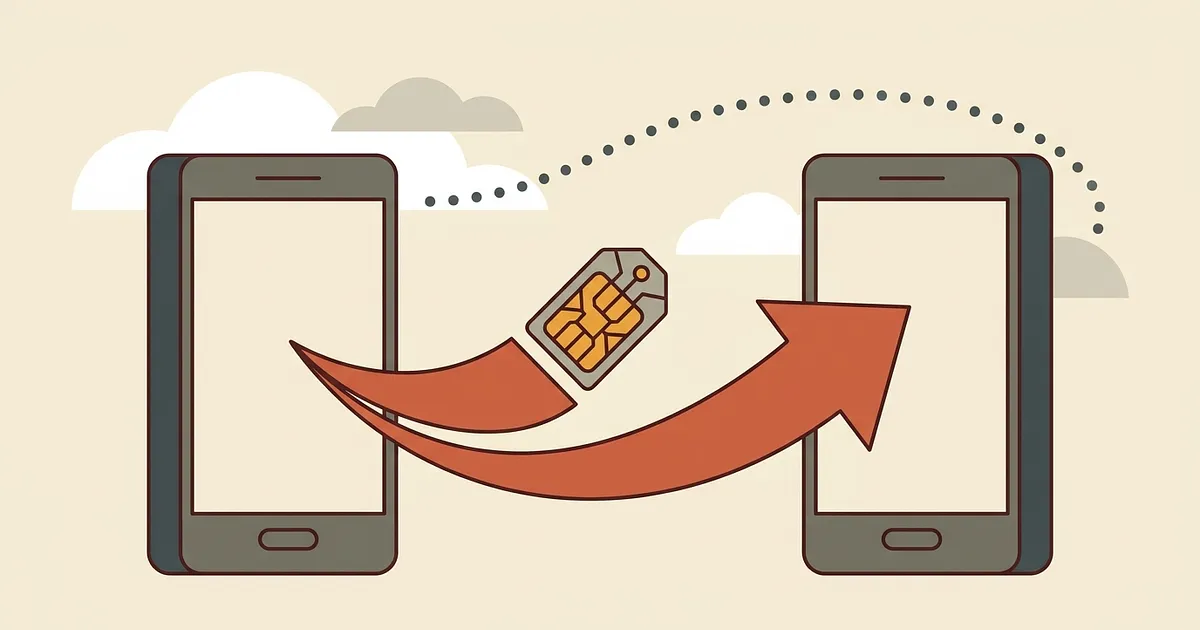
Transfer eSIM iPhone Android: until now that meant calling your carrier and waiting for a freshly issued QR code. That's over. Apple confirms it in its own support documentation: with iOS 26.3 and iPadOS 26.3, your eSIM and personal data move straight to an Android device.
Quick answer: Since iOS 26.3 and iPadOS 26.3 you can transfer an eSIM directly from an iPhone to an Android device, either by scanning a QR code with the Camera app or through Settings. The eSIM only travels if your carrier is on Apple's approved list, which in Germany means Telekom only, for now.
A year ago the answer was "technically impossible"
Back in August 2025, o2business.de put it bluntly: a direct eSIM transfer between iOS and Android was not technically possible. Accurate then. Not any more.
Plenty of guide pages still say the same thing, probably untouched for two years. Check the date before trusting one.
Macwelt covered the eSIM change in mid February 2026; GSMArena traced the first sign of the new transfer assistant to the iOS 26.3 beta in December 2025.
Transfer eSIM iPhone Android: How the Switch Actually Works
In short: Two routes: point the Camera app at the QR code the new Android device shows during setup, or go to Settings, General, "Transfer or Reset iPhone", "Transfer to Android".
What you need:
iOS or iPadOS 26.3 on the iPhone
A current Android device
Both phones next to each other, on the same Wi-Fi, Bluetooth on
Your carrier on Apple's approved list (Telekom only)
No rescue plan for a lost iPhone here: both devices need to be present at once. Fine for a planned switch, not an emergency.
Apple's feature and Telekom's tool are not the same thing
On 07.10.2025, Deutsche Telekom launched its own eSIM transfer between iOS and Android, initially just iPhones on iOS 26 paired with a Google Pixel 10. It runs on carrier infrastructure built on the GSMA TS.43 standard, per heise online.
Apple's version is an OS-level feature, on any eligible iPhone, whatever your carrier. Same catch. For the eSIM half, Apple names a short list of networks: AT&T, FirstNet, T-Mobile and Verizon in the US, KDDI in Japan, SFR in France, EE in the UK, and DT-DE in Germany.
Honestly, that list is thinner than I expected. On O2, Vodafone or a budget reseller in Germany, you're out of luck.
Which Android phone do you need?
At a glance: Sources disagree on the Android side: Apple's own page says Android 17, MacGadget and experte.de both say Android 16. Check the figure against your own model, or the transfer might stall halfway through.
What this means when you travel
Here's the part that matters most for travellers: your carrier eSIM, the contract one. For a travel eSIM from Saily, Airalo, Holafly or aloSIM, none of the sources confirm this path works. Those providers hand out profiles through their own app.
Practically: swapping to an Android backup before a trip still means requesting a new travel eSIM QR code from the provider. Two minutes in their app beats a bad twenty at the airport.
And if you're still comparing providers: most travel eSIM plans run $15 to $25 for 10GB, depending on validity and destination. That matters more than the phone you're carrying.
One question remains: carrier on the list, you just saved a support call. Not on it, the old QR code route stands.
Frequently Asked Questions
Which iOS version do I need to transfer an eSIM to Android?
iOS 26.3 or iPadOS 26.3. Earlier iOS 26 releases don't include the feature, per Apple's own support documentation.
Can I transfer my Airalo or Saily travel eSIM this way?
There's no evidence that you can. Apple's feature and Telekom's tool both work through standard carrier provisioning, while travel eSIM providers use their own system. Plan on a fresh QR code when you change devices.
Does it also work from Android back to an iPhone?
Apple has documented the Android-to-iPhone direction for a while, in a separate support article. What's new in iOS 26.3 is the reverse; the same carrier restriction applies to both.
Do I still need a QR code from my carrier?
Not for the direct transfer. The QR code you scan comes from the Android device itself. If your carrier isn't on Apple's list, you're back to the old route: a newly issued code.
Transfer eSIM iPhone Android: Is It Safe?
The transfer happens between two devices sitting side by side, confirmed on the iPhone with a double-click of the side button. Just don't separate the phones while it's running, or the transfer breaks off.